Friday, September 07, 2012

Securing Your Facebook Account

Online services are inherently insecure because they are applications that you are sharing with others on the same server. In this information age, your information is a valuable commodity. Information about where you vacation, where you live, the names and ages of your family members is a marketing goldmine and it has a value of a few pennies to a few dollars depending on how complete the information is. So when your Facebook account gets hacked someone makes money off of you, all of your friends get very annoyed and you might even loose your account completely and have to start all over again.

Now that many businesses are using Facebook to communicate with their customers the loss of your account can really hurt.

Facebook has been steadily adding security features to help combat this problem. I’m going to suggest a few and also recommend that you check your account settings pages on a regular basis for new security features and add them as they come along.

  1. Use a long password and remember if you are using your Facebook ID to log into other websites than when you read that, that site has been hacked (like Dropbox) then you need to change your Facebook password too.
  2. Add a security question. This way when changes are made to your account there will be a second hurdle to jump.
    1. Click the account menu at the top right of any Facebook page and choose Account Settings. From the left column menu, click Security. Click on the Security Question section
  3. Turn on secure browsing. This will keep your Facebook browsing encrypted so when you are in a public space the content can’t be viewed by sniffers.
    1. Go to your Security Settings page ( Account Settings > Security) Click on the Secure Browsing section. Check the box provided and save your changes
  4. Turn on Login notifications. With this setting on you will get a notification every time a device logs into your account from a different IP address. If you are notified that a device you don’t recognize has logged in go immediately to your Facebook page and change your password.
    1. Go to your Security Settings page ( Account Security > Security) Click on the Login Notifications section. Check the box next to the type of alerts you'd like to receive and save your changes

Those settings will be enough to keep your account from being the lowest hanging fruit. In the Account Settings/Security section you will see many other settings you can also add. Whether you need those or not will depend upon how you are using Facebook. Browse through them and implement any additional security features that appeal to you and consider the list I provided a baseline starting point for all Facebook users.

Labels: , ,

Tuesday, August 07, 2012

A Must Read–Don’t Let This Happen To You

This article might sound very technical to most of you but I hope that you will bear with me and read it through because the concepts are very important.

http://www.wired.com/gadgetlab/2012/08/apple-amazon-mat-honan-hacking/all/

Basically, the "hackers" liked his Twitter handle, @mat. So they found his email address mat@gmail.com, and went to Gmail to see what they could find. His Gmail password recovery was an @me account. Next using Internet search they found his address, called Amazon, added a fake credit card to his account, which then on another tech support call they used to gain access to his Amazon account. Access to his Amazon account showed his real Credit card number, which combined with his address they were able to get Apple to reset his @me password. Which then they could log in, wipe his phone, ipad and MacBook. At this point not only is his Internet identity owned by someone else but all of his personal data is gone. Oops. But wait, he has a backup, right? Not exactly. His backup is in iCloud. Which he can't access. Because they reset his password and all of his security questions. Then they used his accounts to post racist and worse information in his name.

Many people are saying this could have been prevented if he had used two-factor authentication to log into his Google account, or if it wasn’t so easy to get around Apple technical support security questions or if he’d had a backup of his MacBook and the data in iCloud. But it really isn’t that easy.

We all have multiple accounts that are tied together by virtue of them being ours. Like it or not we all now have an online identity and when it gets stolen it is as bad or worse than having your physical identity stolen.

Securing your Internet identity and the information housed within it is difficult. There is no quick fix and every Internet based application has its own rules for best practices. I’d like to help you solve this problem, so we’re going to do a few things:

  1. We are involved in the early development stages with a product that will backup a copy of your employees and your businesses cloud stored data. This will eventually include things like gmail, facebook photos and friends lists, file storage and will be able to interface into almost any hosted service provided the service make API’s to allow it. (an API is a programming interface)
  2. We are going to begin to develop best practices sheets on how to secure various types of Cloud services that you’ll be able to follow to help secure your Internet identity.
  3. We are investigating a service that will let us setup secure two-factor authentication on any hosted service that supports SAML. (saml is a standard authentication protocol and two-factor authentication is your password plus a one-time PIN which you will get from a key fob or a small app on your phone)
  4. We are working to redesign our Internet backup solution to provide more flexibility to allow you to also backup your laptops whether they ever come into the office or not. These backups can also be centrally stored in your office as well as in the Cloud.

Most of these new things are going to ride under our new umbrella, Harbor Secure Cloud. Hopefully that will keep it simple as well as secure.

Labels: , ,

Wednesday, December 08, 2010

Part Two: Outlook Social Connector. Why you should care, even if you don’t use it.

This post is a continuation of this one: http://smalltechnotes.blogspot.com/2010/11/things-you-need-to-know-about-outlook.html If you aren’t familiar with the Outlook Social Connector then you should read that post first.

Here are few people that I am not connected to. Let’s see what they look like.

image

image

image

The above people are randomly pulled from mailing lists I belong to on Yahoo and ISAServer.org. They didn’t even send email to me directly. Rather they posted it to a mailing list and that mailing list gets delivered to folder in my Outlook mailbox.

image

This guy above didn’t email me either. He was simply copied on an email that someone else sent to me. There’s his photo.

At this date in history about 1/2 of the email I receive has a photo attached to it. I know what these people look like even though I am not friends with them on Facebook. I know this because they choose to allow basic information in their profile to be shared. This includes their profile photo.

So what if you don’t participate in any social media? Well then this is what you look like to me.

image

Is not participating in social media the way to go? I can’t see your photo, is this a good thing? Today you’ll be in good company in my inbox because only about 1/2 of the email I get has photo. But riddle me this…in the near future when your clients look down the list of people in their contacts and they see your ghostly outline instead of your smiling face, how are they going to feel about you? I’ll argue that they won’t be drawn toward you. They’ll probably pass you over.

So what does this mean for your business? It means that the profile photos you post ANYWHERE will be seen by your business contacts. It means that what you do in social media IS part of your business right now and that same goes for anyone in your company that has an email address. There is very little separation between private, public and work anymore and very soon there will be none at all.

Does this pose a bit of a human resources problem for your company? Oh boy, the times are a changin’.

Labels: , ,

Monday, November 15, 2010

When is Social Media Good for Business?

Here are the demographics for Facebook.

clip_image002

Here are the demographics for Twitter.

Look closely and some important facts quickly emerge.

  • The majority of people in Facebook are Female
  • The largest Facebook demographic is 35-54
  • The largest Twitter demographic is 25-44
  • Twitter people over all are older. Twitter has a much larger population that is 55-64.

Does this blow away your preconception of social media? Hopefully not. These statistics are what they are because businesses and business people have flocked here. Look around at your customers. How old are they? If they are between the ages of 35-54 and your business isn’t active on Facebook and Twitter then you’re probably missing potential sales.

Social media marketing is a process, not an event. It does take energy and continuous input. But the results are there.

Labels: ,

Monday, April 05, 2010

Privacy and Using Business Computers for Personal Purposes

I read an interesting article this morning on the results of an important legal case between an employee and Loving Care Agency, Inc. It has implications for every one of our clients. I know that we’ve said it before, probably not loud or often enough, but everyone needs a computer network use policy. If you don’t have one yet, let’s get that done.

“The machine may be the employer's, but, in the post-LovingCare world, the data may be the employee's - at least where the cloud and the attorney-client privilege are involved.  You can read my detailed case analysis below.”

http://www.infolawgroup.com/2010/04/articles/workplace-privacy/privacy-privilege-and-the-cloud-oh-my-taking-lovingcare-to-heart/?utm_source=feedburner&utm_medium=feed&utm_campaign=Feed%3A+InfoLawGroup+%28Info+Law+Group%29

In this case, an employee had a conversation about her employer with her attorney using Yahoo mail from her work computer. The New Jersey Supreme court ruled that the conversations were private and subject to attorney-client privilege.

Two things happened here. First the existing computer use policy left wiggle room for personal use of the computers. Second, the court ruled that client-attorney privilege can’t be subject to any corporate policy that informs the employee that their activity would be monitored.

Now this took place in New Jersey and we’re in Michigan, so there’s time. But this seems to be a trend and the only way for businesses to protect themselves will be to have computer network policies that are strict and do not allow “wiggle room” for personal use. Doing so could protect you in the event you have the business need to monitor an employees activity; to do so without prior consent might be unlawful.

There are some templates available for policies like this. Of course you should have your attorney look it over before implementing one.

Labels: ,

Thursday, December 17, 2009

Internet Lingo Dictionary

For those of you that have delved into social media, facebook and instant messaging or have children at home that do, this dictionary is for you. It contains all of the acronyms that you’ll ever need to know and some that you probably wish you didn’t. I find myself having to look up short hand to understand what I’m reading on the ‘net and this dictionary is handy to have around.

Spectorsoft has put this dictionary together and it’s great. Of course it’s also a sales tool for them. They make great software – different products for home and business. We have clients that use both. So I feel OK about passing this along to you. They make great stuff and are a great company to work with.

Download a Complimentary Guide to Decoding Your Child's Secret Online Language

CUL8R. LMIRL. PAW. GNOC. Is this an alien language, or just language that is alien to you?

Kids have quickly adopted a secret form of communication (an Internet Lingo) that consists of abbreviated words and phrases that they use to code their conversations. With SpectorSoft's new "Parent's Guide to Internet Lingo" you can now decode this secret language and know EXACTLY what your children are discussing with friends online.

Best of all... it's absolutely FREE!

Download the FREE "Parent's Guide to Internet Lingo"

Can you decode these common phrases? Take the Internet Lingo QUIZ

WARNING THIS GUIDE CONTAINS POTENTIALLY OFFENSIVE AND SEXUALLY SUGGESTIVE CONTENT THAT IS REPRESENTATIVE OF CHAT LANGUAGE USED BY KIDS ONLINE.
Just in case you were wondering: CUL8R = See You Later, LMIRL = Let's Meet In Real Life, PAW = Parents Are Watching, GNOC = Get Naked On Cam.

Labels: , ,

Friday, November 06, 2009

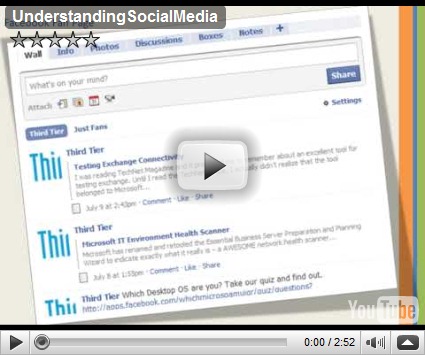
Understanding Social Media

Here’s a copy of the powerpoint that I did on Understanding Social Media. This presentation is for people that don’t understand what it is, why they want to use it and what impact it is having on doing business. We had 12 people attend the webinar. If you missed it and would like to attend one of these send Amy an email. If I get at least 5 more interested parties I’ll schedule it.

And don’t forget, if you are already into social media. Connect with us!

Labels: